
DNEP Education · dnep.co.uk
Coming soon
The lesson planner, assessment tracker, cover work and Exam Builder for maths departments, in one place. We're getting it ready for schools.
Despina Nicolaou and Erich Pohl (DNEP Education)
The DNEP Lesson Planner and Topic Assessment Tracker run on your school Google account. Your timetable, your scheme of work, your resources and every pupil's marks are in one place, ready for the next lesson.
Google Calendar · Google Classroom · Google Drive · staff-only access
Students can get any online answer from AI in seconds, so platform data no longer shows what they can do. DNEP keeps assessment on paper and in the classroom. You give a short topic test, type in the marks, and the tracker turns them into the feedback and analytics.
| Pupil | Q1/4 | Q2/4 | Q3/6 | Q4/6 | Total | Band | M | P |
|---|---|---|---|---|---|---|---|---|
| Pupil A | 4 | 3 | 5 | 2 | 14 | Yellow | 2 | 2 |
| Pupil B | 2 | 1 | 2 | 0 | 5 | Red | 1 | 1 |
| Pupil C | 4 | 4 | 6 | 6 | 20 | Green | 3 | 3 |
Click Create feedback stickers, choose the test and print. There are six to an A4 page, on label sheets or plain paper.
This is a separate page from the stickers. Print it for books or put it on the board for DIRT time.
The tracker already has your class lists and question-level marks, so these tools start from data other tools don't have.
Draw your room once. Drag pupils in, or let DNEP suggest a plan from the latest band data.
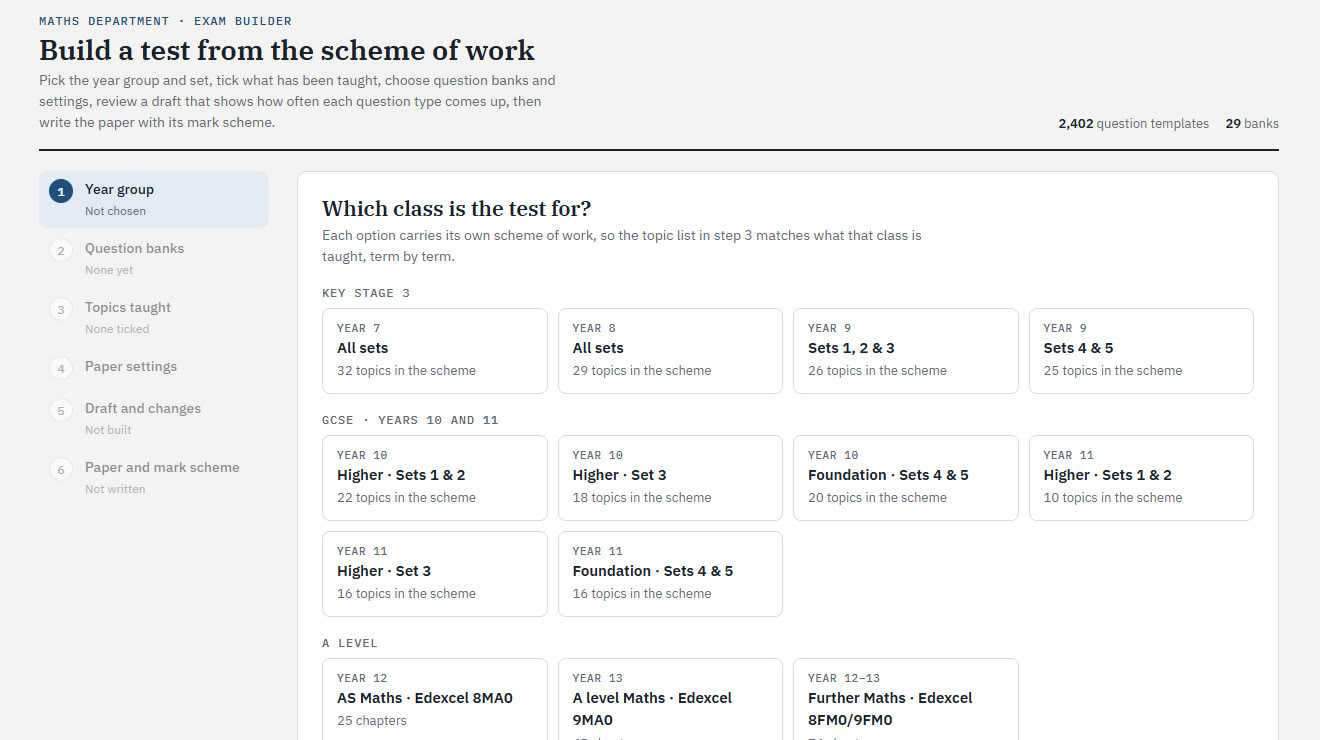
Now in the demo. Build anything from a 10-mark mini test to a set change paper, using topics in your scheme's order.
Pick the year group and set, tick what has been taught, choose question banks and settings, review a draft that shows how often each question type comes up, then write the paper with its mark scheme.
Most schools combine a planner, a seating tool, a test bank and a spreadsheet. DNEP connects all four.
| Feature | DNEP | Common Planner | Planboard | Class Charts | Exampro / Save My Exams |
|---|---|---|---|---|---|
| Lesson planning from the scheme of work | ✓ | ✓ | ✓ | — | — |
| UK timetable from Google Calendar | ✓ | US standards | Partial | From MIS | — |
| Question-level marks for topic tests | ✓ | — | Gradebook | — | Partial |
| Printed feedback stickers | ✓ | — | — | — | — |
| Feedback questions from class mistakes | ✓ | — | — | — | — |
| Set change tests and new set lists | ✓ | — | — | — | — |
| Seating plans from your data | Coming | — | — | ✓ | — |
| Exam / test builder | ✓ | — | — | — | ✓ |
| Cover work from the planned lesson | ✓ | Sub plans | — | — | — |
Compared using each product's public website, October 2026.
Try the demo: a made-up school with the real DNEP planner, tracker, stickers, cover work and Exam Builder. Sign-in for Google and Microsoft schools is coming soon.
DNEP is coming soon. Tell us about your department and we'll be in touch, or ask us anything about the planner, the tracker or the Exam Builder.
Despina Nicolaou and Erich Pohl
DNEP Education